
For: Dentists, DAs, and OHTs · Read time: ⏱️ ~3 min
Before you begin, make sure your microphone is connected and working correctly. If this is your first session, your browser may ask for microphone permission. Select Allow to continue.
For the detailed, click-by-click version, see Completing Your First Session.
1. Start Transcribing
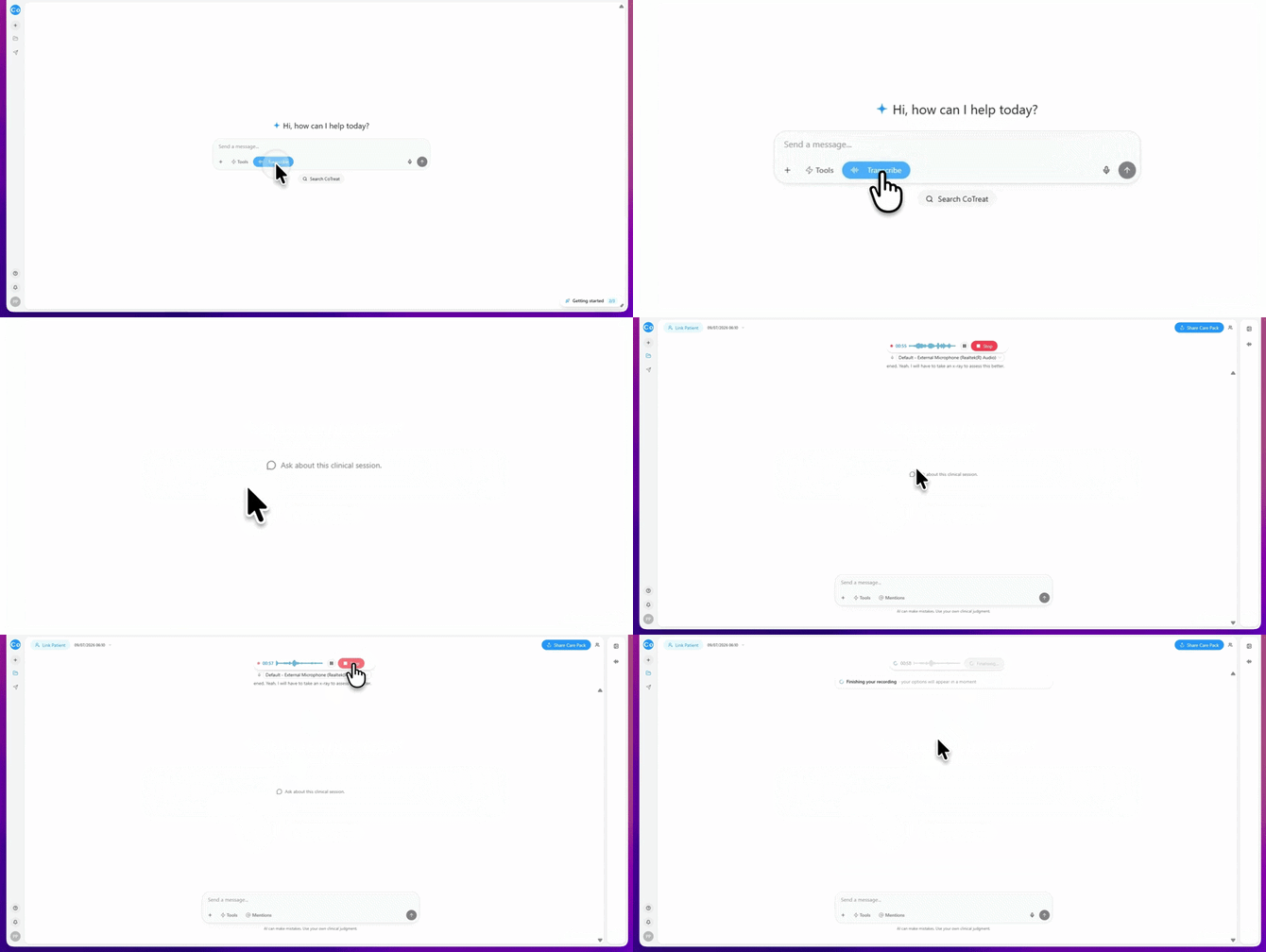
Go to the Home page. Select Start Transcribing.
That's it - CoTreat Chairside starts listening and builds the transcript in the background while you consult.
2. Consult as Normal
Continue the appointment as you normally would.
As findings, diagnoses and treatment recommendations are discussed, Chairside captures the conversation and prepares information for your documentation and patient communication.
You don't need to dictate to Chairside. Focus on the patient and let the transcript build naturally.
3. Stop the Recording
When the consultation is complete, select Stop.
A "Finishing your recording…" message appears while Chairside processes the transcript.
4. Choose What You Want to Generate
After the transcript is complete, Chairside lets you choose which outputs to create.
Available options will include:
- Findings
- Patient Letter
- Clinical Note
- Case Presentation
- Longitudinal Analysis
- Treatment Plan
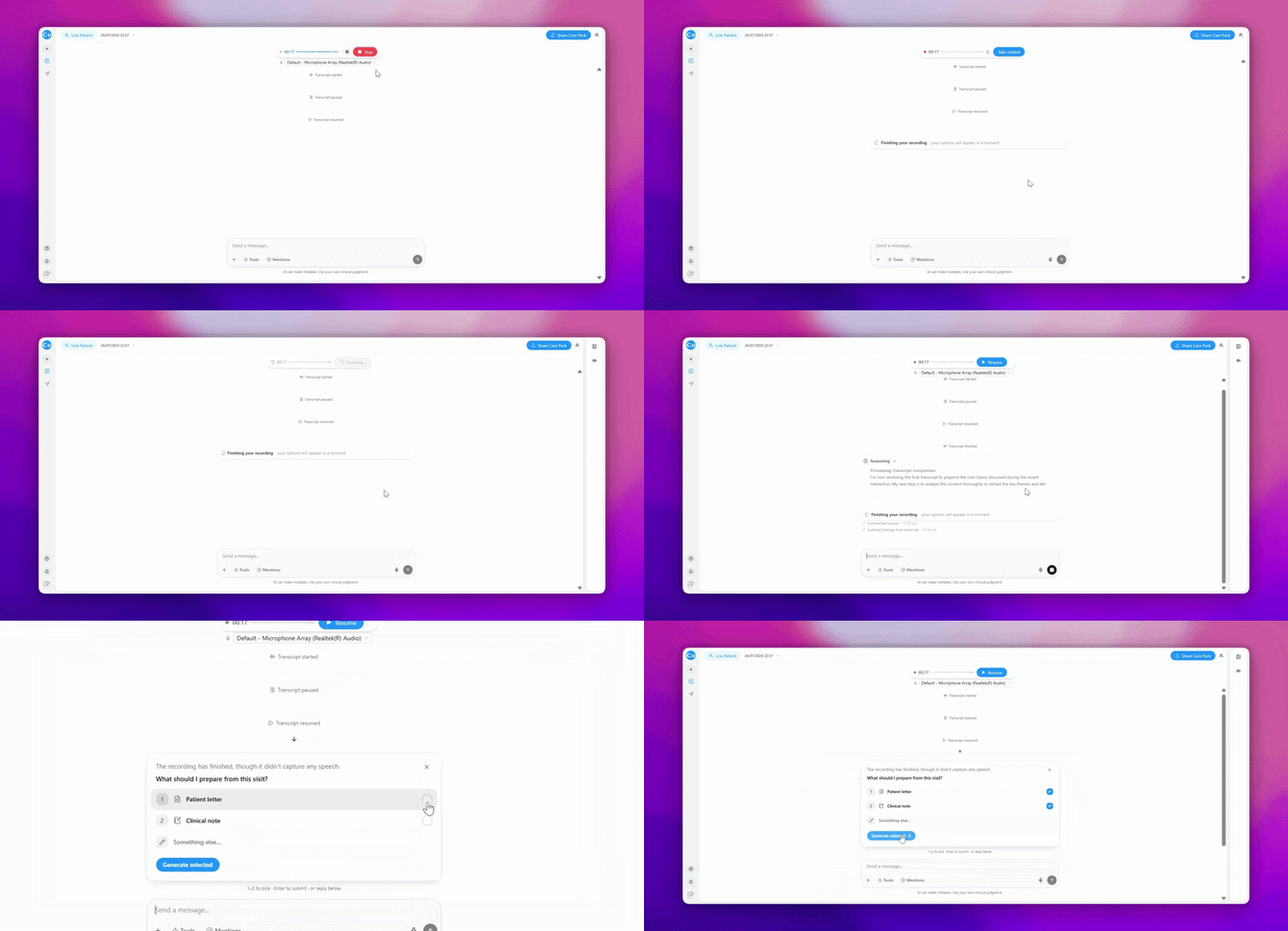
Select the outputs you need and generate them.
5. Refine What You Need
Review the generated content and make any adjustments required before finalizing.
You can:
- Edit patient-facing information
- Refine treatment recommendations
- Add images and supporting material
- Ask CoTreat follow-up questions
This step helps ensure the final output reflects your clinical judgement and communication style.
6. Link Your Patient
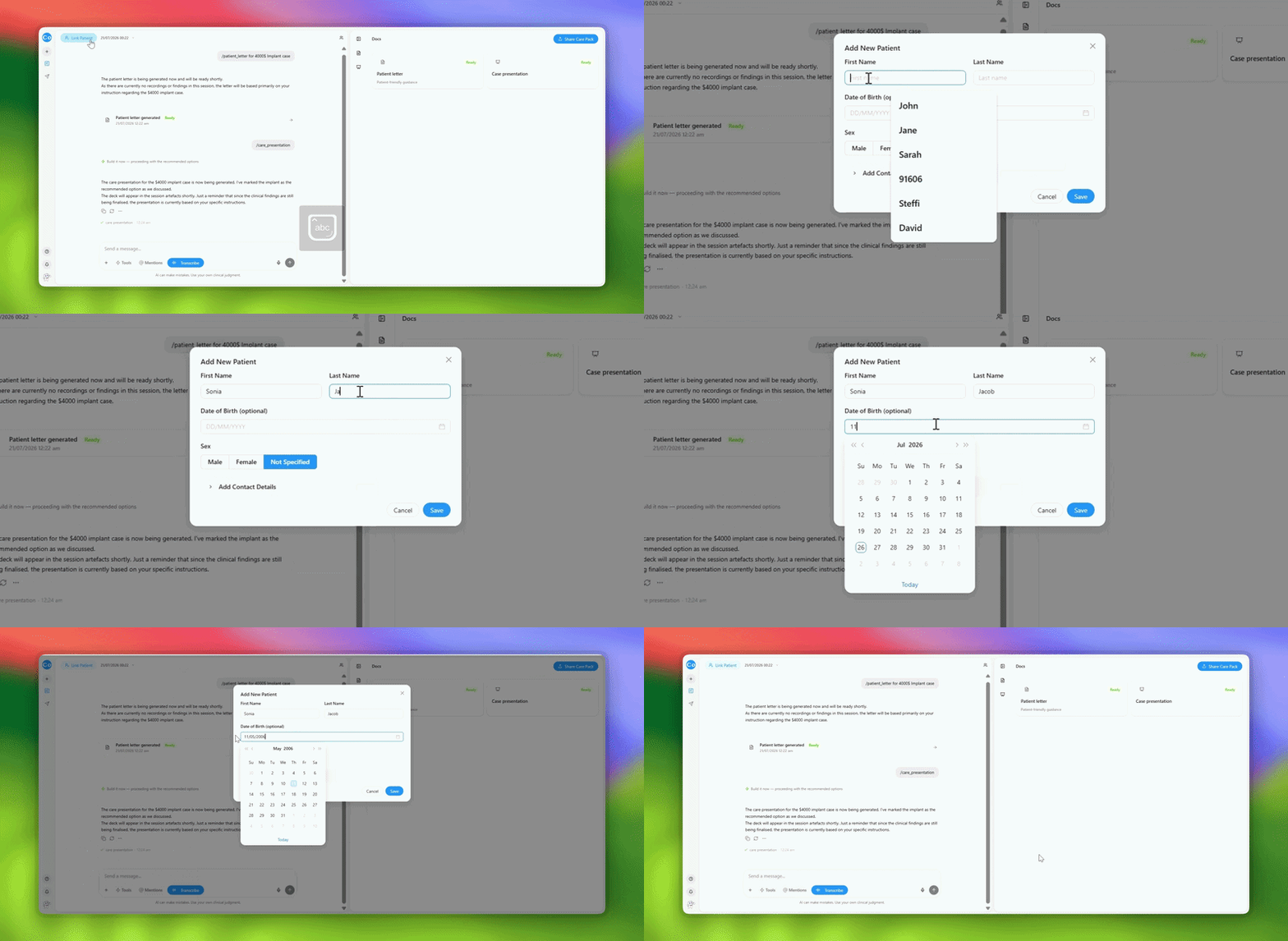
Before sending a Care Pack, link or create a patient.
This allows Chairside to personalize information and deliver patient communication correctly.
7. Preview & Send a Care Pack
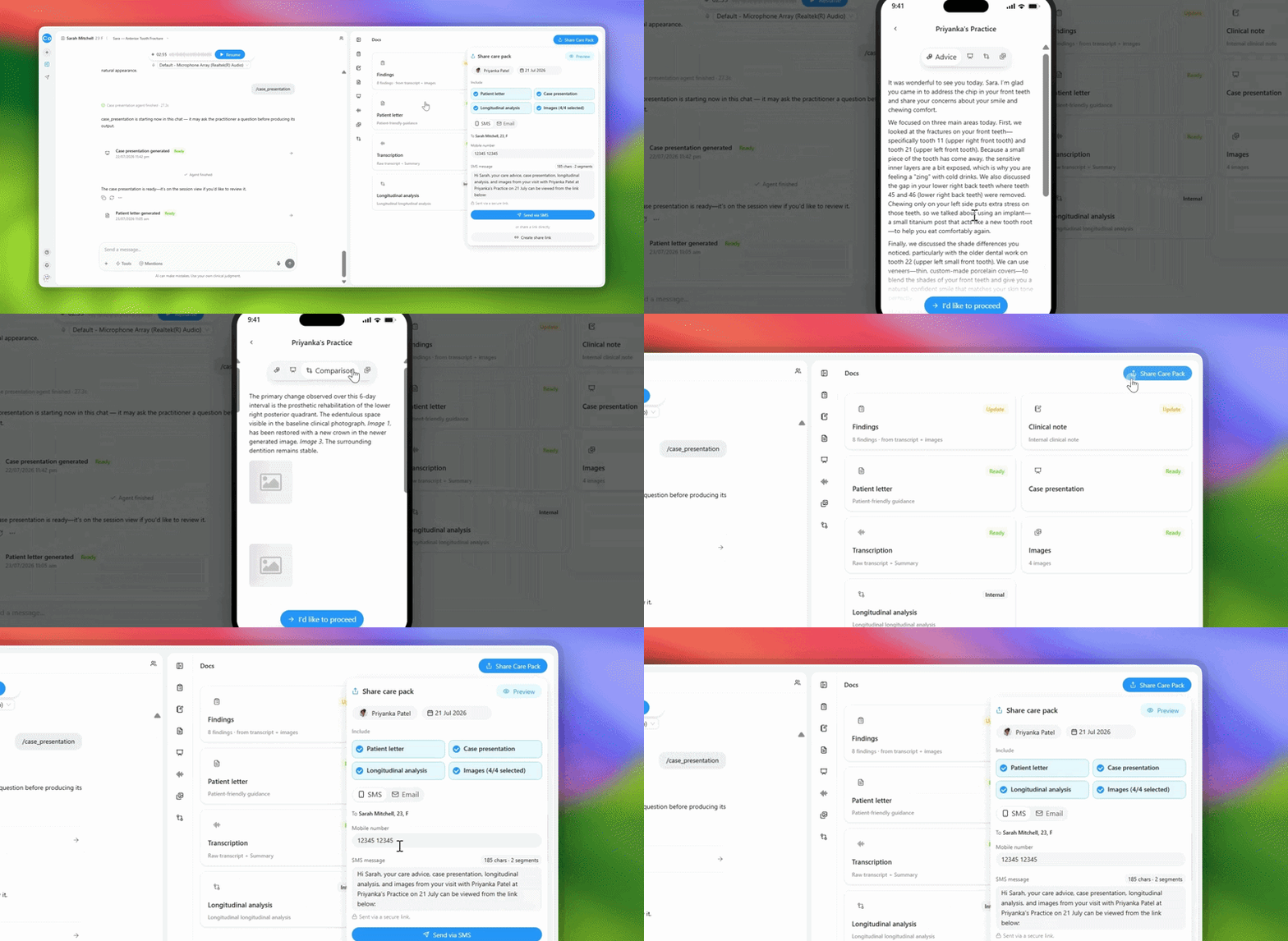
Once you're happy with the content, select Share Care Pack.
Patients receive information discussed during the consultation, including treatment recommendations and next steps.
What Happens Next?
After the consultation, you can:
- Copy clinical notes into your practice management system.
- Send Care Packs to patients.
- Generate additional outputs from the transcript.
- Start your next consultation.
The more you use Chairside, the more naturally it becomes part of the consultation workflow rather than an additional task afterwards.