
Custom templates are coming to Chairside, so you'll be able to set your own format for Clinical Notes, Patient Letters, and Case Presentations, rather than relying on the current one-size-fits-all layout.
In this article:
What's Coming
Custom templates are currently on track for mid-October 2026, covering three tools: Clinical Notes, Patient Letters, and Case Presentation.
This feature isn't available yet. This article will be updated once custom templates go live - until then, see Getting a Similar Result Today below.
How Custom Templates Will Work
Once available, you'll be able to apply a template to a Clinical Note, Patient Letter, or Case Presentation in one of two ways:
- As your default - every new document of that type follows your chosen template automatically.
- By selecting it when you regenerate - choose a specific template for that generation, instead of using the default.
Getting a Similar Result Today
Until custom templates are available, you can still get a consistent format by typing it into the chat yourself:
- Type or paste your template into the chat.
- Click Create.
- Select the tool you want to generate - Clinical Note, Patient Letter, or Case Presentation.
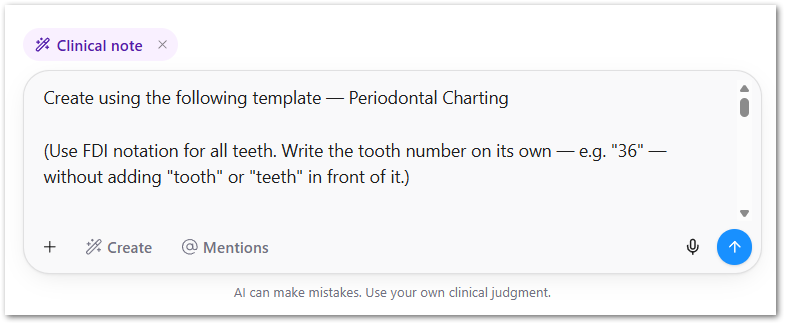
For a worked example of typing a structured template for a Clinical Note, see "Formatting Structured Clinical Notes" in Prompts for Clinicians - the same idea of writing out headings and instructions can be adapted for a Patient Letter or Case Presentation.