
What Care Presentations does
Care Presentations helps turn clinical information into a more visual format for communicating with patients.
Use it when you want to explain findings, treatment recommendations or next steps in a format designed to support the patient conversation.
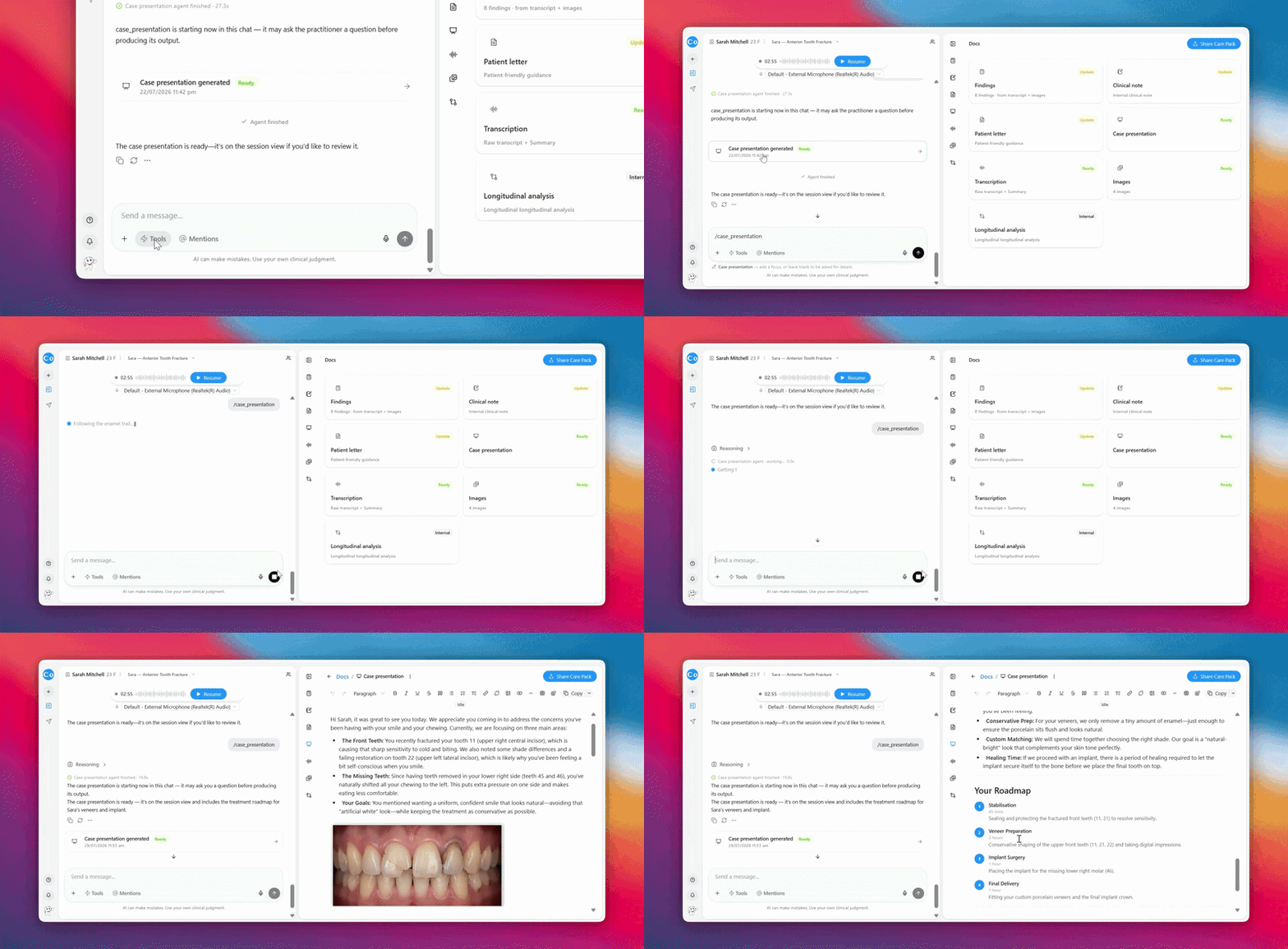
Create a Care Presentation
- Open the relevant session.
- Make sure the information you want to communicate is available within the session.
- Open Tools.
- Select Care Presentations.
- Follow the prompts to provide any additional information.
- Generate the presentation.
- Review it before using it with the patient.
FAQs
What's the difference between a Care Presentation and a Care Pack?
A Care Presentation is a visual way to communicate findings, treatment options, and recommendations with a patient. A Care Pack is the complete patient-facing package, which can include the Care Presentation along with other relevant information from their consultation.
Can I change a Care Presentation after generating it?
Yes. You can ask in the chat box to make changes to the Care Presentation after it's generated. Simply describe what you'd like to update or refine.