
Clinical Notes helps turn the information captured during your consultation into structured clinical documentation.
It uses the context available within your session, including the consultation transcript and other information you've provided, to generate a clinical note for you to review.
Before you start
For the best result, make sure the relevant clinical information is available within your session.
If you're recording a live consultation, complete your Transcription first. You can also add relevant information or supporting files to the session before generating your note.
Generate a Clinical Note
- Open the relevant session.
- Select Tools from the message composer.
- Select Clinical Notes.
- Add any additional instructions if prompted.
- Generate your Clinical Note.
CoTreat Chairside will use the available context from your session to create the note.
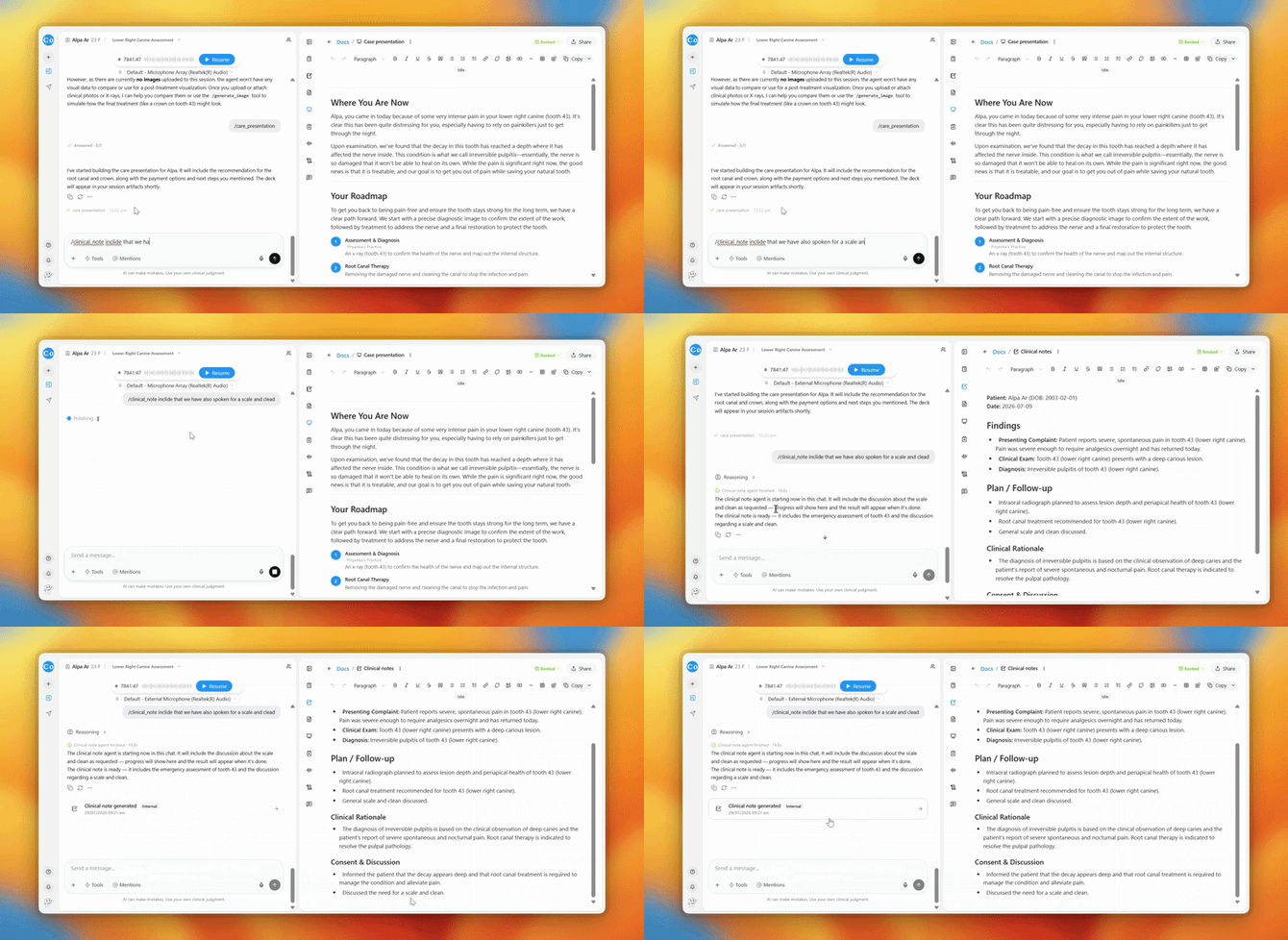
Refine your Clinical Note
If something needs changing, you don't need to start again.
Use the chat to tell CoTreat Chairside what you'd like to adjust. For example:
“Add that we also discussed a scale and clean.”
or
“Make the examination findings more concise.”
Review before using
Always review your Clinical Note for accuracy and completeness before adding it to the patient's clinical record.
CoTreat Chairside supports your clinical documentation — the final clinical record remains your responsibility.
FAQs
Can I generate a Clinical Note without recording a consultation?
Yes. You can provide the clinical information directly in chat and ask CoTreat Chairside to generate a Clinical Note. The note will be based solely on the information you provide.
What if information is missing from my Clinical Note?
Add the missing information in chat and ask CoTreat Chairside to update the note. If something was missed during transcription, you can provide it directly without having to record the consultation again.
Can I change the format of my Clinical Note?
Yes. Tell CoTreat Chairside the format or style you'd like, including the structure, headings, or level of detail, and ask it to update the note accordingly.