
What Treatment Plan does
Treatment Plans help organise the clinical information within your session into a structured treatment plan.
Rather than rebuilding the plan from scratch after a consultation, you can use the information already captured in Chairside as your starting point.
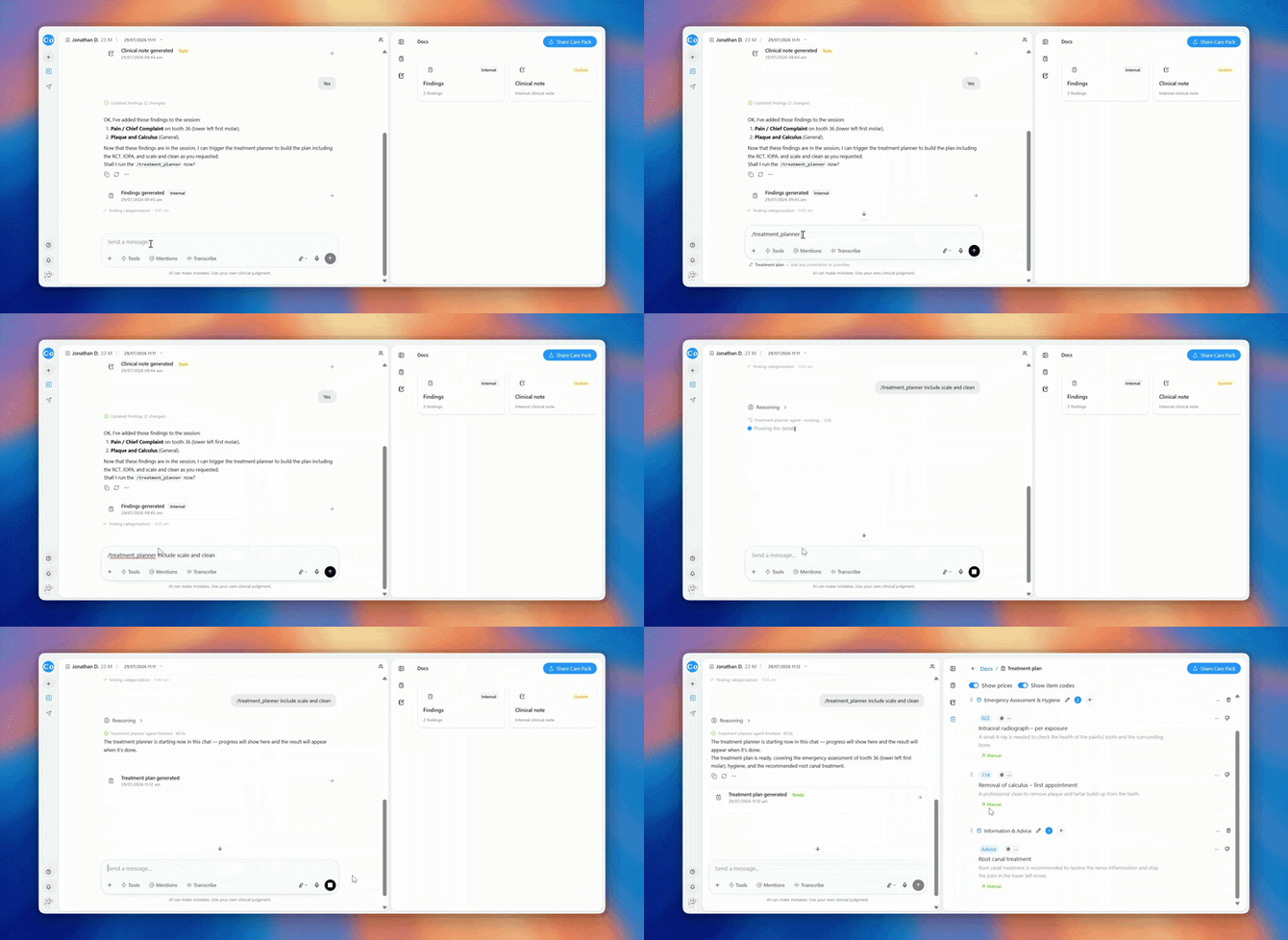
Create a Treatment Plan
- Open the relevant patient session.
- Make sure the relevant consultation and clinical information is available.
- Open Tools.
- Select Treatment Plans.
- Add any additional instructions if prompted.
- Generate the treatment plan.
Refine the plan
You can continue the conversation with CoTreat Chairside to make changes.
For example:
“Triage this treatment.”
“Update the plan to reflect the option discussed with the patient.”
Review before using
Check tooth numbers, procedures, priorities, item codes and other clinical information before using the generated treatment plan.