Every session you run in CoTreat lives in your Sessions list - searchable, filterable, and sortable, so you can get back to any patient's consult quickly, whether it was five minutes ago or five months ago. This article covers finding, organising, and deleting a session.
Table of contents
- Finding a Session
- Filtering and Sorting Your Sessions List
- Working With More Than One Session at a Time
- Deleting a Session
Finding a Session
Every session is listed under Sessions in the left-hand menu. If you can't find the one you're after:
- Use the search box and enter the patient's name or session title.
- Check the Mine / All toggle. Mine shows only sessions associated with you - switch to All to see every session across the practice, including ones created by someone else.
- If it's still missing, check whether a filter is applied and select Reset to clear it.
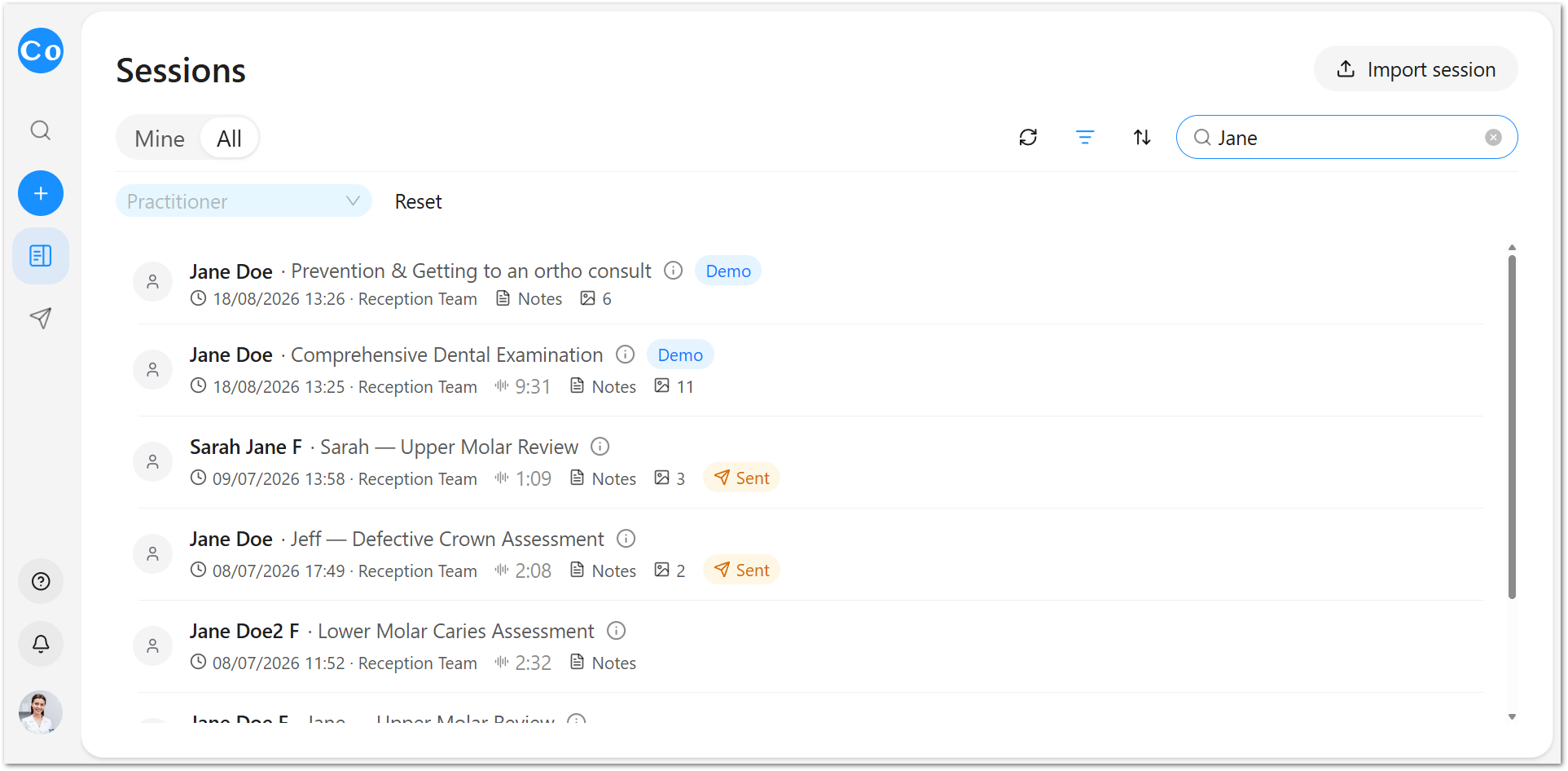
If a colleague created the session, it won't show under Mine - switch to All before searching.
Filtering and Sorting Your Sessions List
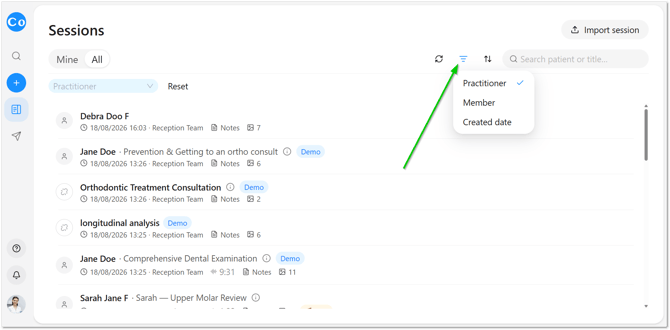
Select the filter icon to narrow your Sessions list by Practitioner, or by a Created from / Created to date range. Select Reset to return to the full list.
Use the sort control to organise sessions by Date created or Date updated.
Working With More Than One Session at a Time
CoTreat shows one session per browser tab - opening a second session replaces the one currently displayed.
To view two sessions side by side, open the second one in a new browser tab or window.
Deleting a Session
To delete a session:
- Go to Sessions in the left-hand menu.
- Find the session you want to remove.
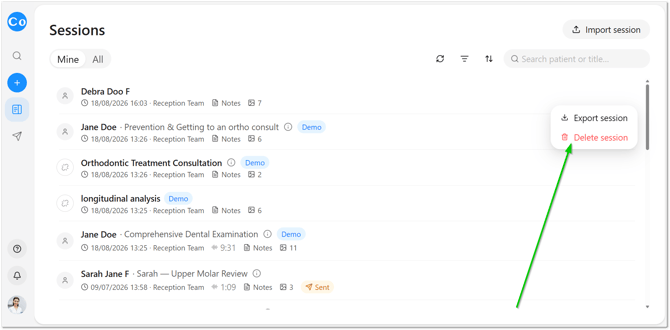
- Select the three dots on the right of that session.
- Select Delete.