
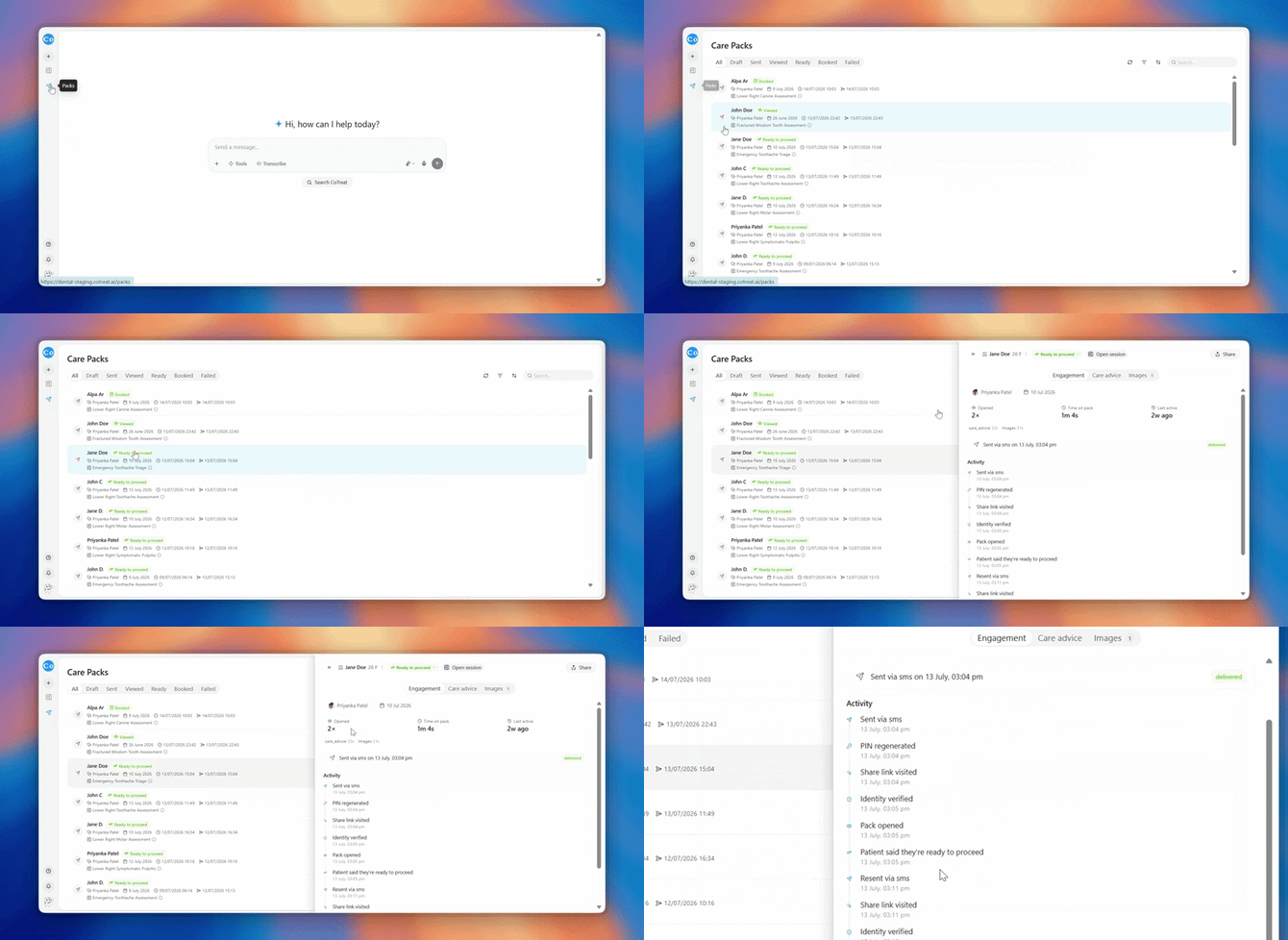
Step 1 - Check the Activity feed first:
Open the pack's engagement panel (click the status pill) and look at the Activity feed. It tells you exactly how far the patient got:
- No "Share link visited" entry → the patient never reached the link. Go to Step 2.
- "Share link visited" but "Verification attempt failed" → they reached it but entered the wrong date of birth. Go to Step 3.
- "Pack opened" is there → they DID get in at some point; the current problem is likely a re-entry issue. Go to Step 4.
Step 2 - The link never got tapped:
- Confirm the mobile number (or email) on the patient record is correct
- Ask if they received the SMS at all - if not, re-send, or switch channel (send by email instead from the Share panel)
- Some phones warn that links from unknown senders "may be harmful." Reassure the patient this is their phone's standard caution for any new number - choosing Continue opens the pack safely, and it stays protected by their date of birth regardless
Step 3 - Wrong date of birth:
- The pack only opens with the patient's date of birth exactly as it appears on their record
- Most failures are simple typos - ask them to try again carefully
- Still failing? Check the DOB on the patient record - if it was entered incorrectly at the practice, the patient's real DOB will never match. Correct the record.
- If a PIN was generated for the pack, the patient can request it by SMS from the verify screen - it goes to the mobile number on their record
Step 4 - They were in before but can't get back in:
- Re-opening the pack requires verifying again - that's by design; each visit is protected
- Ask them to open the original link again and re-enter their DOB
- If they rotated their phone or refreshed and were asked to verify again mid-reading, that's the same protection at work - re-entering the DOB gets them straight back
Quick reference - what the patient sees vs what it means:
| Patient says | Most likely cause | Fix |
|---|---|---|
| "I never got anything" | Wrong mobile number, or SMS not delivered | Check number, re-send, or use email |
| "My phone says the link is dangerous" | Phone's unknown-sender caution | Continue is safe - pack stays DOB-protected |
| "It won't accept my date of birth" | Typo, or DOB wrong on the record | Re-try carefully; verify the record's DOB |
| "It keeps asking me to verify" | Normal protection on each open | Re-enter DOB - access is immediate |