
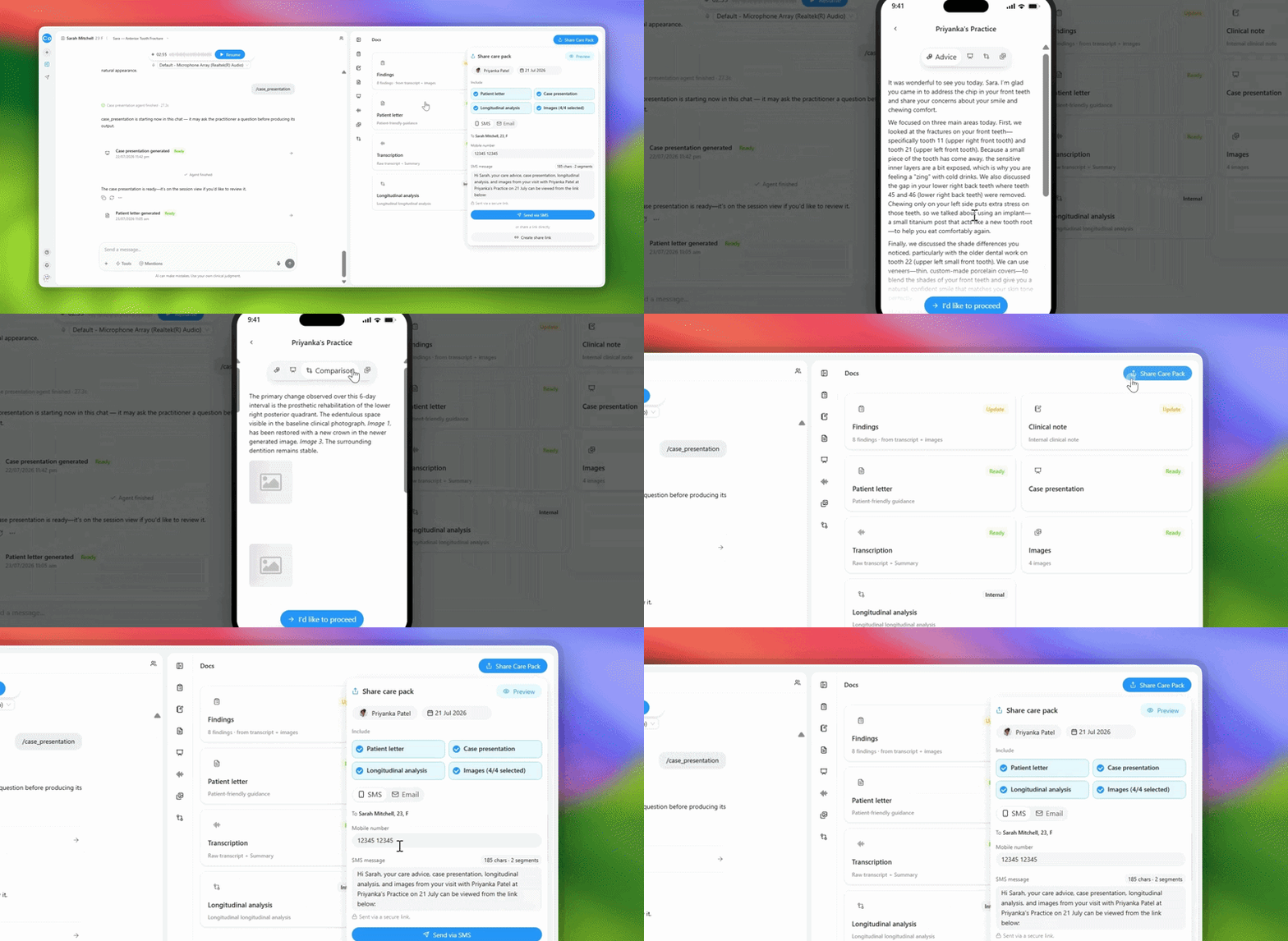
You can now open a preview of any care package and see exactly what your patient will see - before you send it. The preview is built live, so there are no half-finished drafts left behind if you change your mind.
How to use it:
- Generate a care package in your session (notes, letters, or images)
- Click "Preview Care Package" button
- You'll see a "verify" screen that shows:
- Your practice logo
- Your photo
- Message: "{Your Name} sent you a care pack"
- Everything exactly as your patient will see it
- Review the preview
- If it looks good: Click "Send"
- If you want to change something: Click "Back" and edit
Always preview before sending to avoid surprises.
What to expect:
The preview matches your patient's experience exactly. No formatting surprises. No missing photos. What you see is what they get.
Common questions:
Q: What if I don't send after previewing?
A: Nothing is saved or sent. The preview disappears. You can edit and try again with no draft left behind.
Q: Does the preview include my photo?
A: Yes. The preview shows your practice logo, your photo, and the message from you to the patient.
Q: Can I edit while previewing?
A: No. To edit, go back and change the content in your session, then preview again.