
For: Dentists, DAs, and OHTs · Read time: ⏱️ ~1 min
Before you start
Make sure your microphone can clearly pick up both you and your patient.
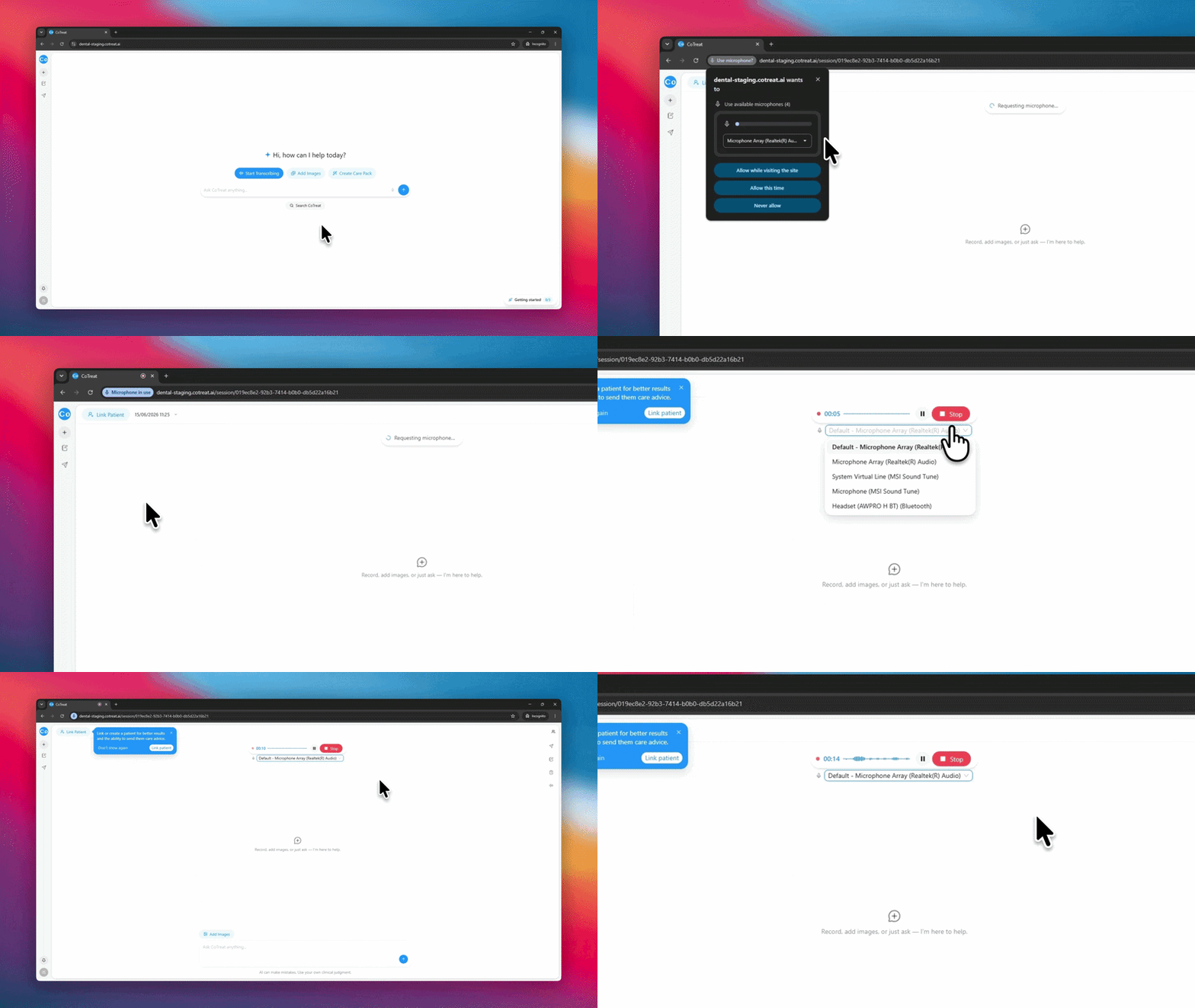
1. Open your session and start recording
Select Start Transcribing. Recording begins straight away.
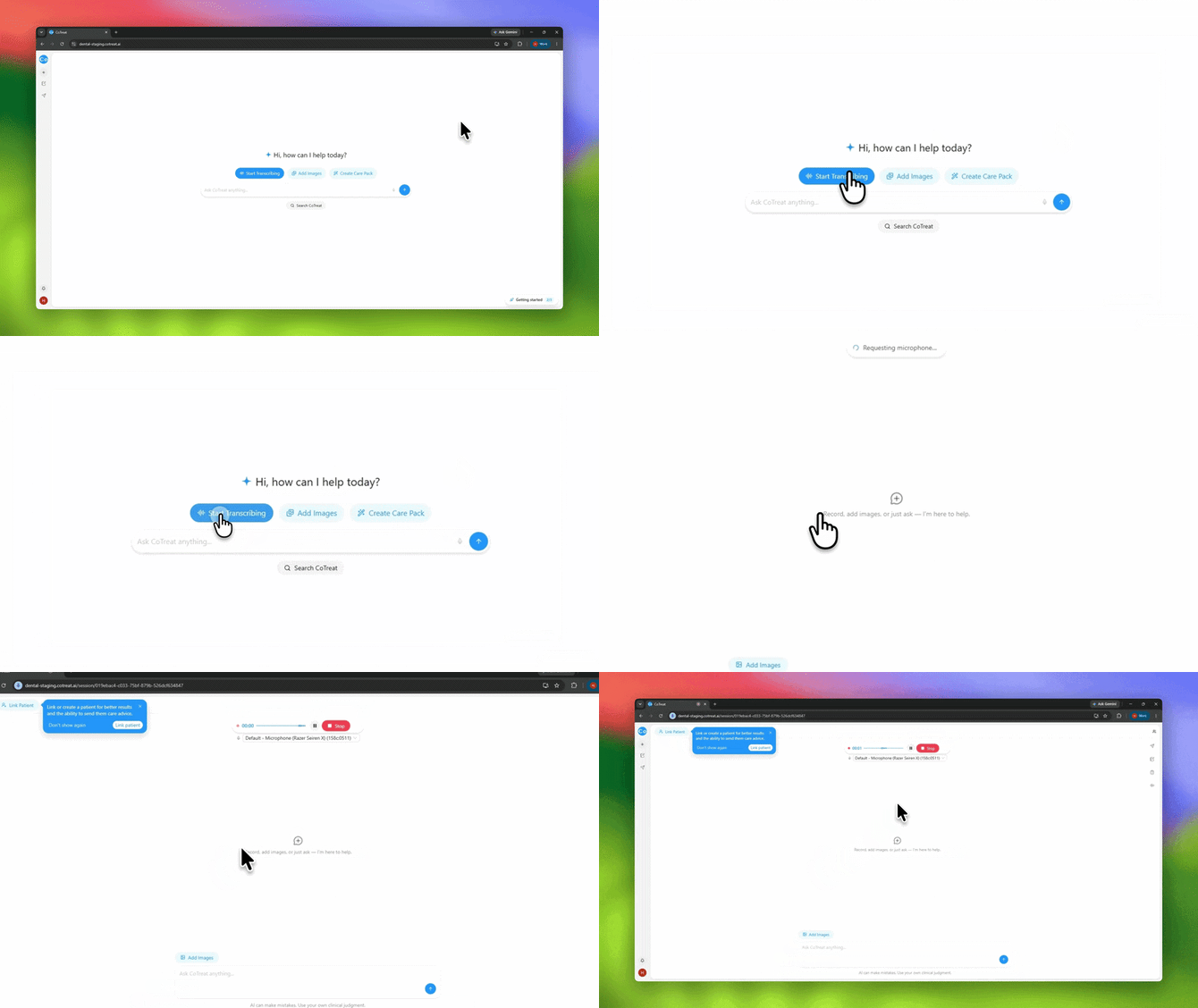
2. Link your patient
Once recording has started, link the patient to the session.
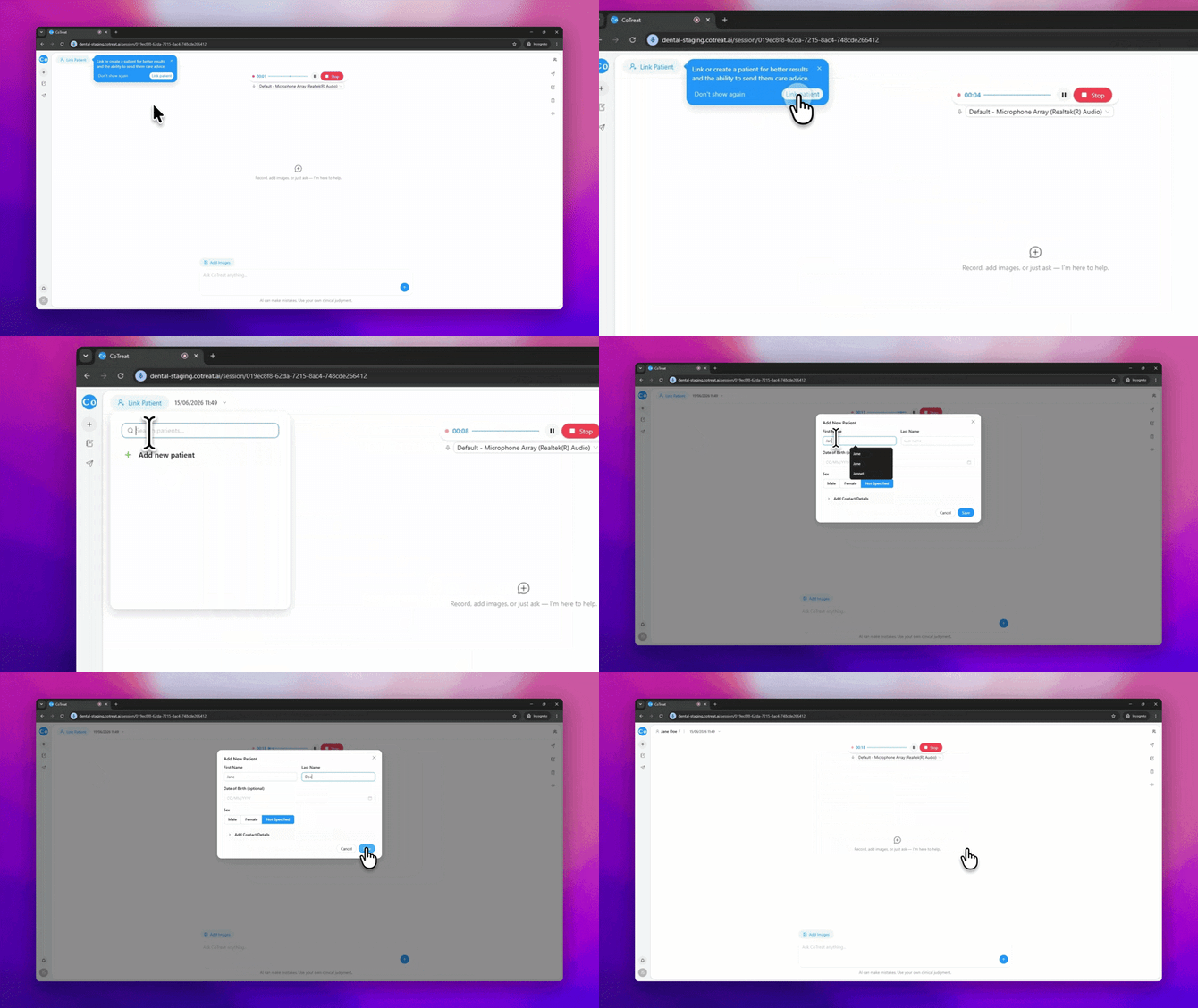
3. Consult as you normally would
No need to change how you speak. Chairside runs quietly in the background.
Use the controls at any time:
| Action | When to use it |
|---|---|
| Pause | Taking X-rays or having a private conversation |
| Resume | Ready to continue recording |
| Stop | End of the appointment |
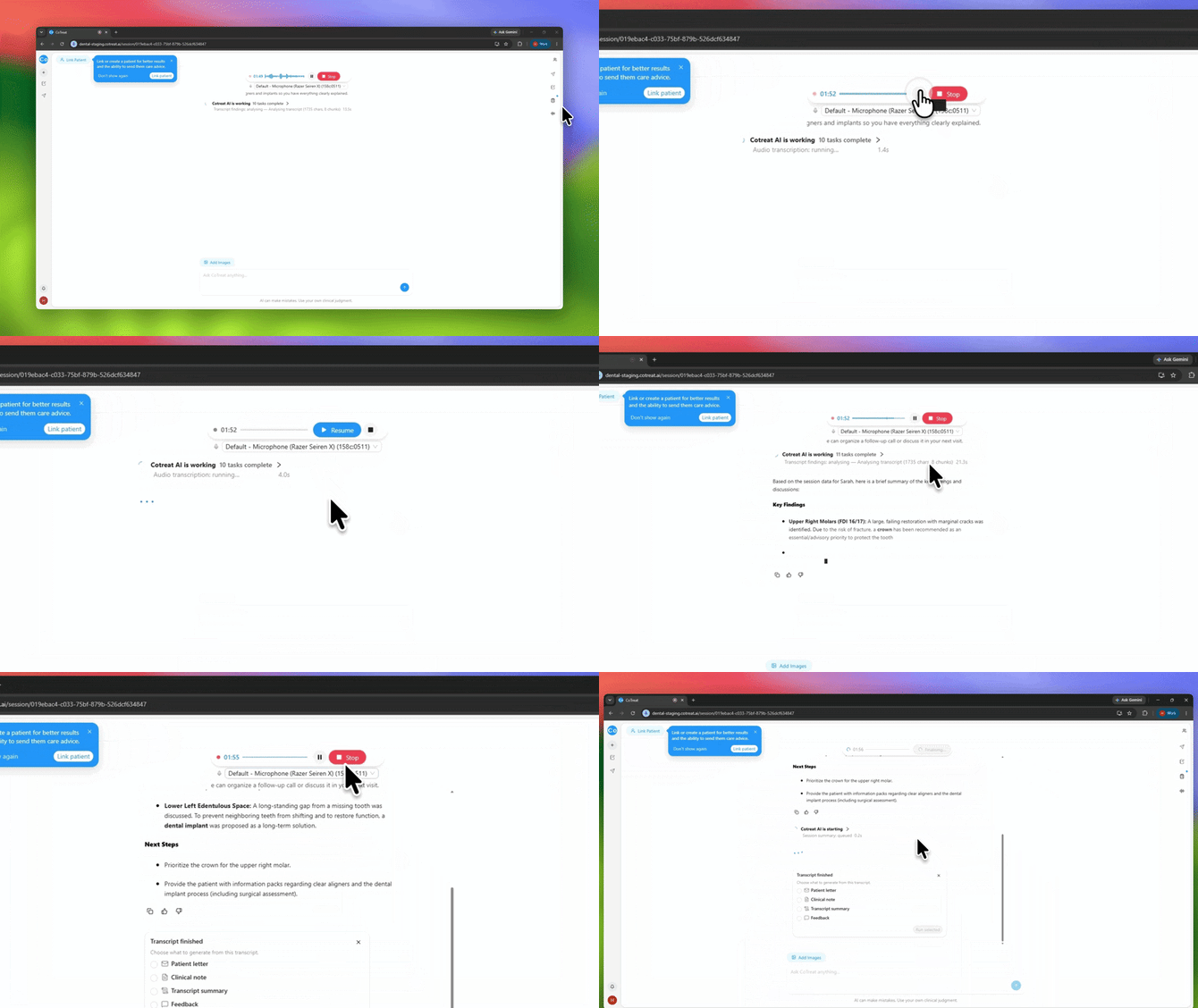
4. Stop recording when you're ready
Select Stop when you're done - this can be at the end of the consultation or after the patient has left if you'd like to add any additional notes or observations first.
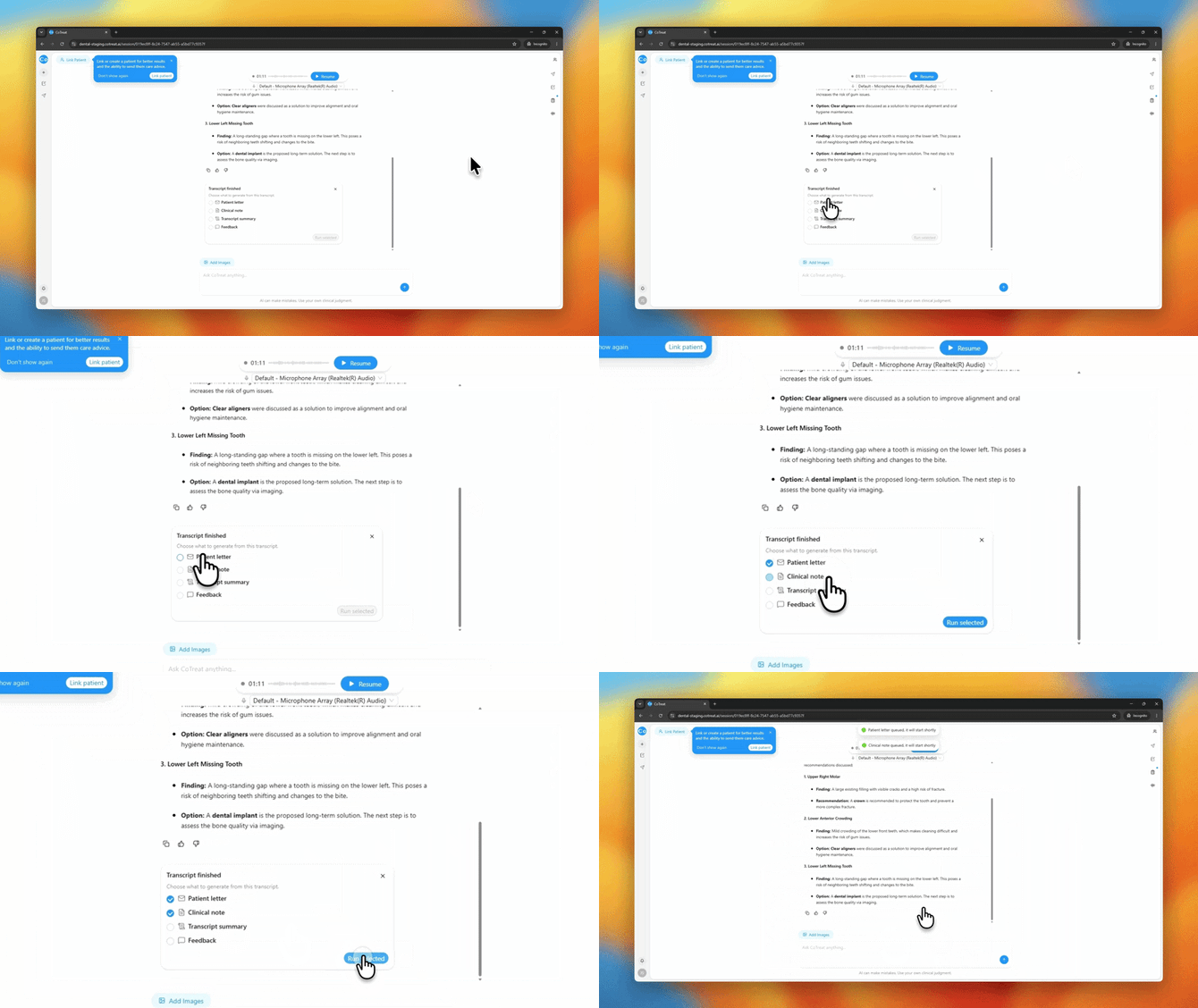
Once stopped, Chairside processes the consultation. You'll then be prompted to select Clinical Note, Care Advice - tap what you need and Chairside will generate the relevant output.
5. Review, edit, and copy your output
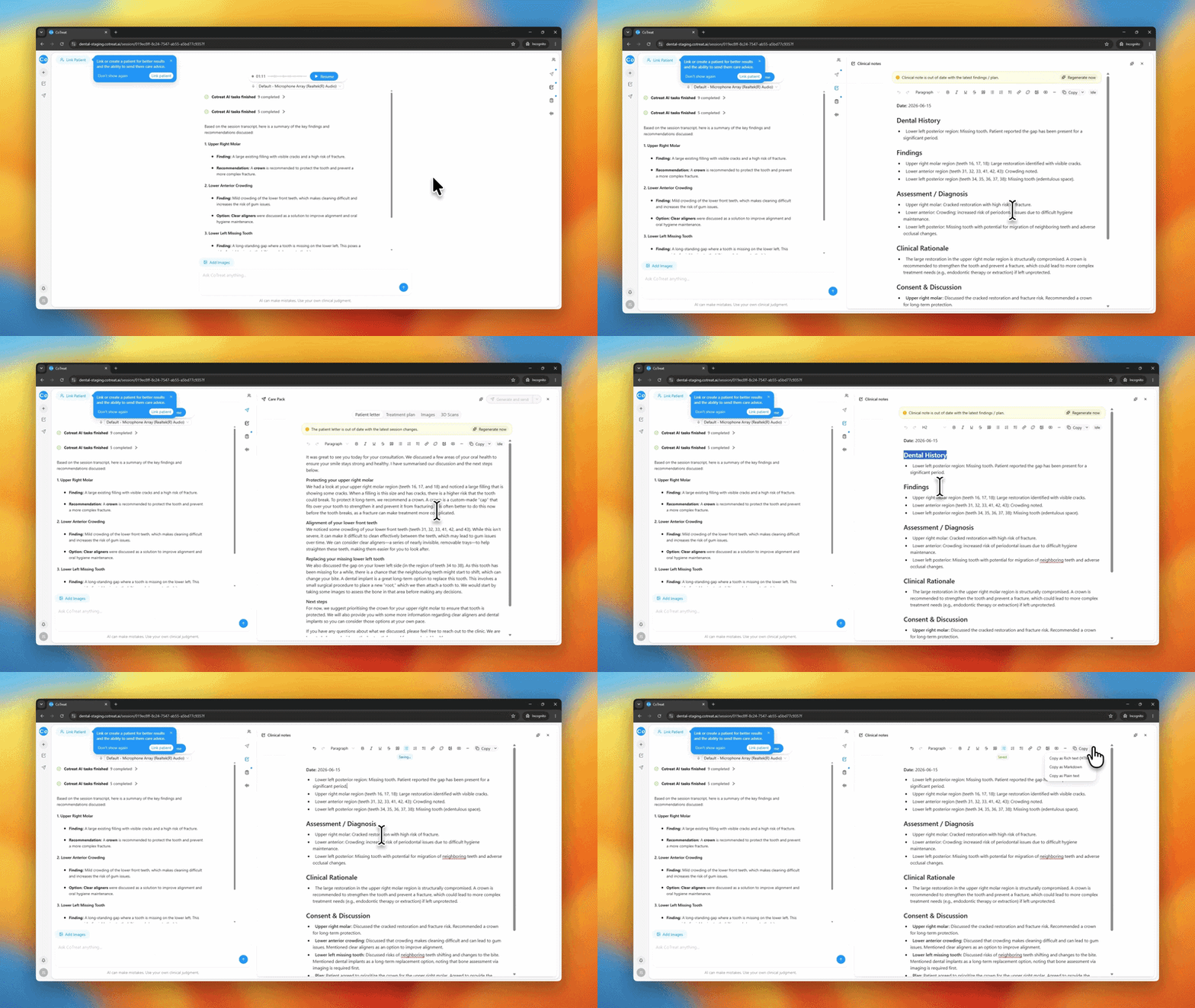
Open the relevant tab, e.g. Clinical Notes or Care Advice, on the right-hand side to review what's been generated.
Make any adjustments needed, then copy and paste the final version into your practice management system.
Ask Chairside to go further
After transcribing, you can use Chairside to dig deeper into what was captured. Try:
- Draft a short referral letter based on today's findings.
- How could I explain these findings to the patient in simpler terms?
- Are there any evidence-based considerations I should discuss for this treatment plan?
Frequently Asked Questions
What's the difference between Pause and Stop? Pause temporarily halts recording. Stop ends the session and generates your Chairside outputs.
Can I edit the transcript? No, the transcript is a fixed record of the consultation. You can edit the generated content, e.g. in the Clinical Notes or Care Advice, tabs before copying.
Should I leave it running the whole appointment? Yes, in most cases. Use Pause only if there's something you don't want included.
What if I forget to start recording? Chairside only captures from the moment you select Start. Add anything missed by resuming the recording.
Will Chairside make clinical decisions for me? No. Chairside organizes and summarizes - you review, edit, and approve everything before it's saved or shared.