
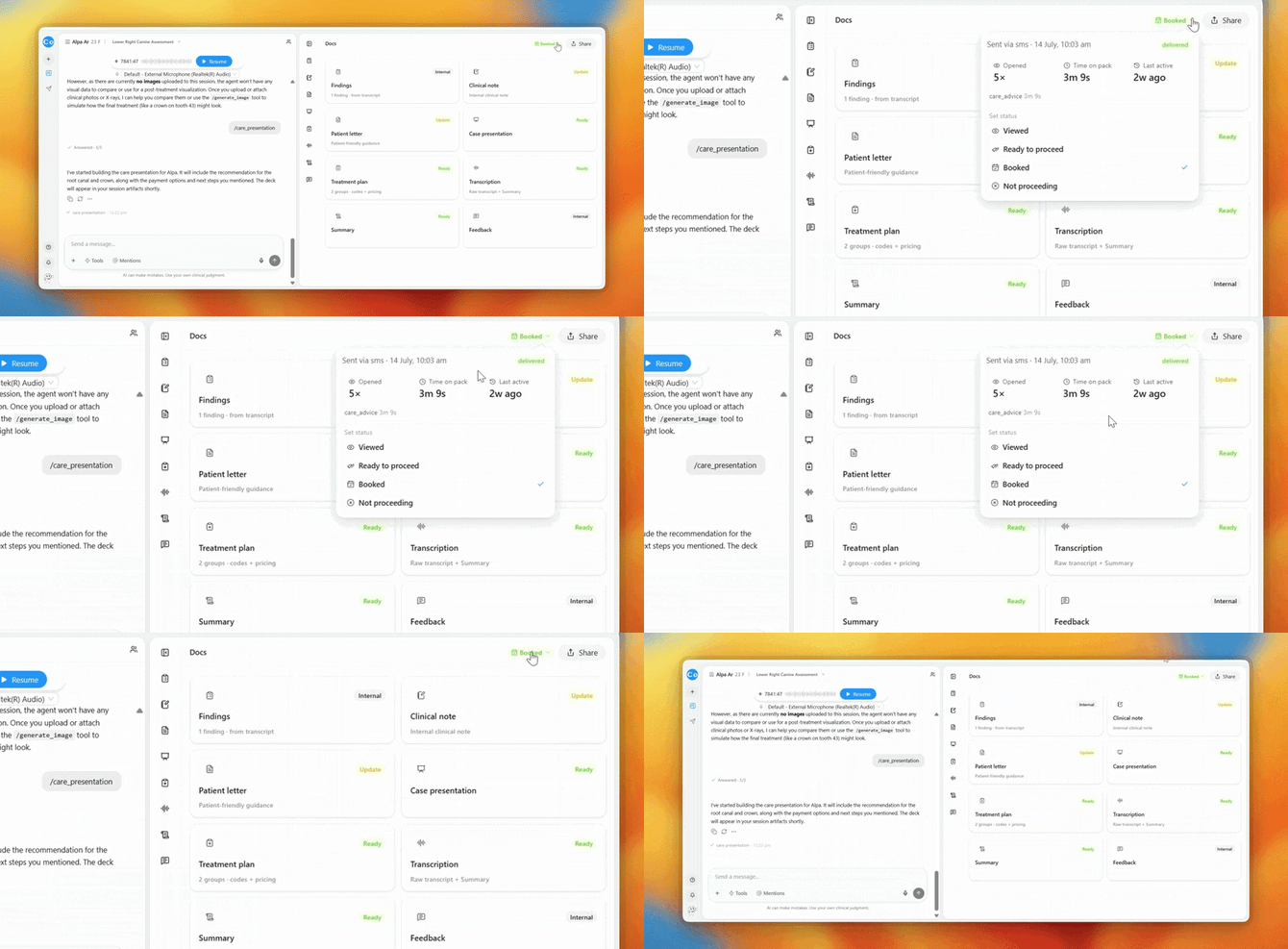
How to use it:
- Open the session (or the pack) you shared
- Click the status pill — the small label showing Sent, Viewed, etc.
- The engagement panel opens, showing:
- Delivery details - how and when the pack was sent (e.g. "Sent via SMS on 14 July, 10:13 am · delivered")
- Opened - how many times the pack has been opened
- Time on pack - how long your patient has genuinely spent reading
- Last active - when they most recently interacted (e.g. "1m ago")
- Section breakdown - where their time went (e.g. Care advice 2m 41s · Images 45s · Treatment plan 22s)
Everything about how the pack is landing, in one panel, without leaving your consultation
Common questions:
Q: What does "Verification attempt failed" in the activity feed mean?
A: Someone entered the wrong date of birth - usually just a typo by your patient. The pack stays locked until the correct details are entered.
Q: What's a good sign the patient is interested?
A: Time spent on the Treatment plan section. A patient studying costs and options is a patient close to a decision - a follow-up call helps.
Q: The pack was sent but never opened - now what?
A: Check the mobile number on the patient record, or re-send by email from the Share panel.