
A Case Presentation turns a consult into a proposal your patient can review, share, and act on - sent to their phone the same day, while it's still fresh in their mind.
Table of contents
- What is a Case Presentation?
- How it works
- Adding images and mock-ups
- Sending a Case Presentation
- Answering common questions
What is a Case Presentation?
A patient-facing document built from your consult: the options discussed, a step-by-step roadmap, pricing, and what happens next - all in one place, ready to send.
It's most valuable for treatment a patient needs time to consider:
- Implants
- Veneers
- Aligners
- Crowns
- Any other high-value or multi-step treatment
These are the cases with the most questions attached. A Case Presentation answers them upfront, and gives the patient a clear way to say "I'd like to proceed" once they're ready.
How it works
- Open Tools and select Case Presentation - either after running Transcribe during the consult, or on its own, without a transcription.
- Describe what you want included, either by typing (for example, "6-month Invisalign, as discussed") or by dictating using the microphone icon in the chat bar.
- Chairside asks a few guided questions - which sections to include, next steps, investment and pricing, and your usual process for that treatment. Answer as many as you like, or skip them; Chairside builds a relevant, dentistry-specific presentation either way.
- Chairside generates the presentation: a summary of what was discussed, the options in plain language, a step-by-step roadmap, investment and payment options, and what happens next.
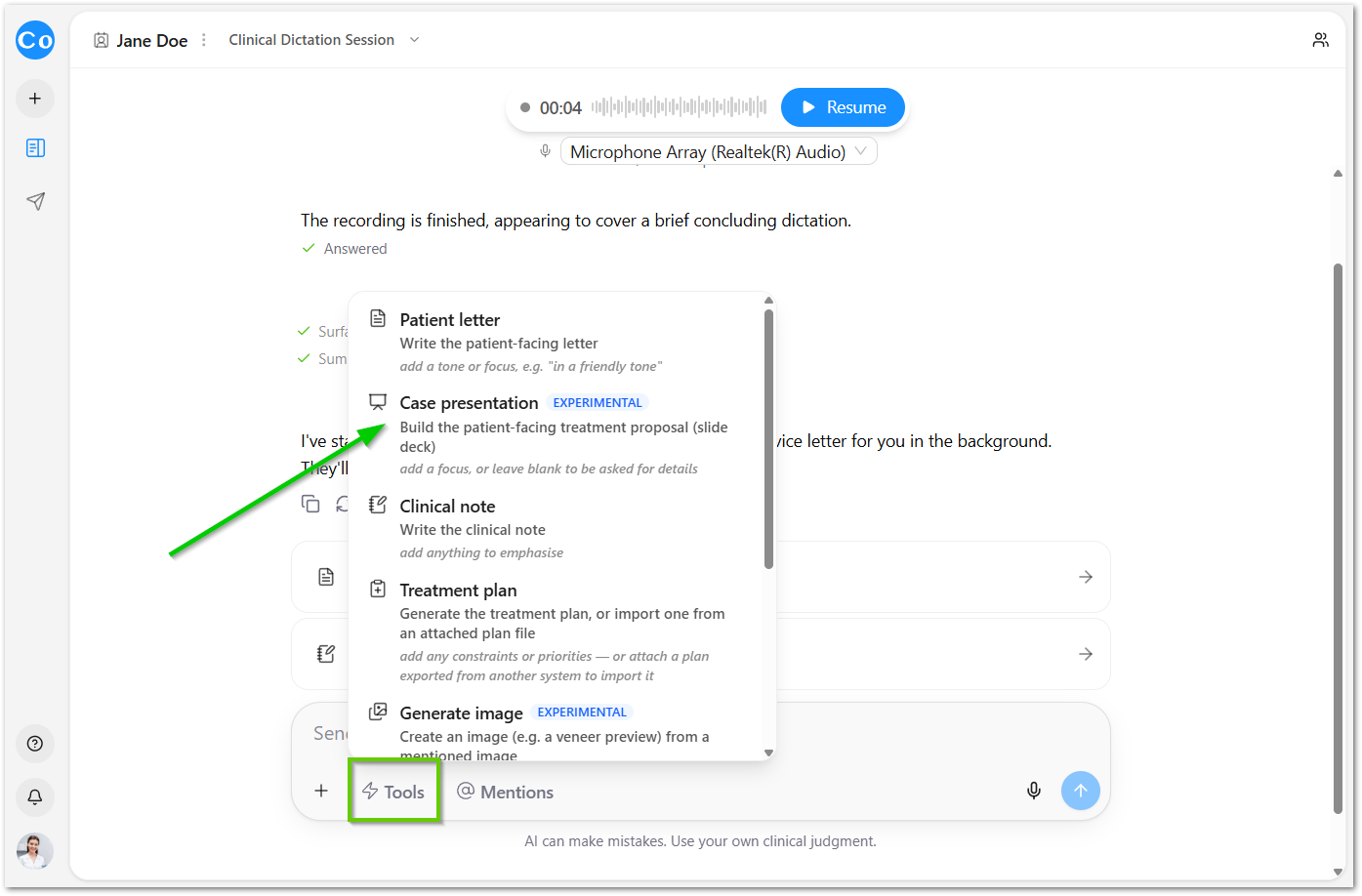
Everything is fully customisable before it's sent. Nothing goes out without your review.
Adding images and mock-ups
For veneer, crown, or implant cases, pair a Case Presentation with Generate Image - the mock-up gives the patient something to see, not just read about.
Sending a Case Presentation
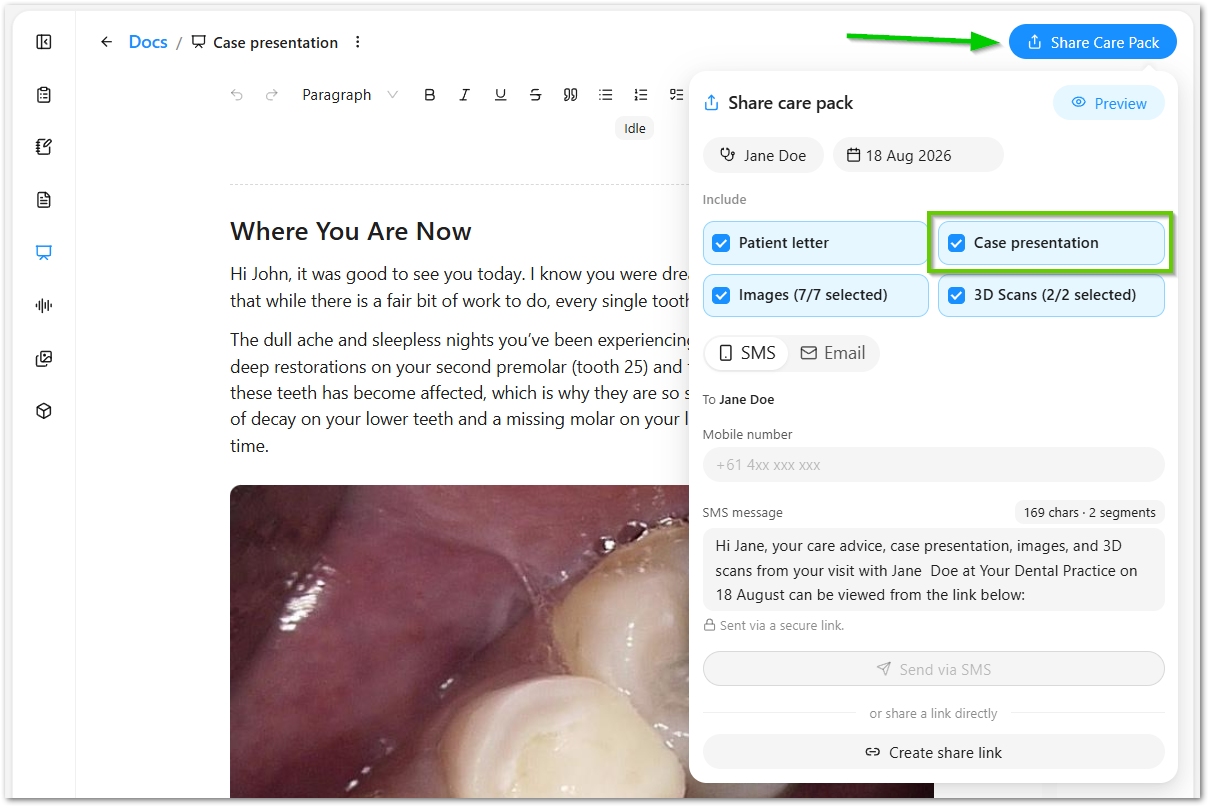
Add it to a Care Pack, alongside anything else the patient needs, and send by SMS or email. Present it chairside while the patient's still in the room, or send it after they've left - either way, they have everything at hand and won't need to call back to have anything repeated.
Answering common questions
Do I need to record the consult first? No - you can start a Case Presentation directly from Tools, without running a transcription.
Who typically builds and sends these? It varies by practice. Many have the dentist build it chairside, then reception or the treatment coordinator add it to a Care Pack and follow up.
What happens after the patient receives it? They review it at their own pace. If they tap I'd like to proceed, your team is notified immediately - see "I'd like to proceed" notifications in the Chairside Feature Guide.
Is it only useful for high-value treatment? It works for any case, but it's most effective where patients need time to decide - implants, veneers, aligners, and crowns are the clearest examples.